Along with offering Photo Books that are fulfilled by Partner Vendor, photographers are also able to offer Photo Album Services to their clients.
Photo Album Services gives photographers the easiest way to offer professional, high-end photo albums to their clients.
See this page for more details on the Easy Photo Design Album and Fulfillment service.
The option is also provided to disable the ability of clients to purchase these custom photo albums. This guide covers how to disable the Easy Photo Album Design Service site-wide.
Disabling the Easy Photo Album Design Service Site-Wide
Unlike Photo Books, the Photo Album Service does not require adding to a Price List. When enabled in the account, the service is automatically enabled in any gallery that contains over 40 images and has a price list assigned to them.
You can easily enable or disable this service by going to the Photo Album Design Service page in your account. Depending on when your account was created, the setting may be enabled by default. If your account was created after January 2017, you will need to opt-in to offer the service.
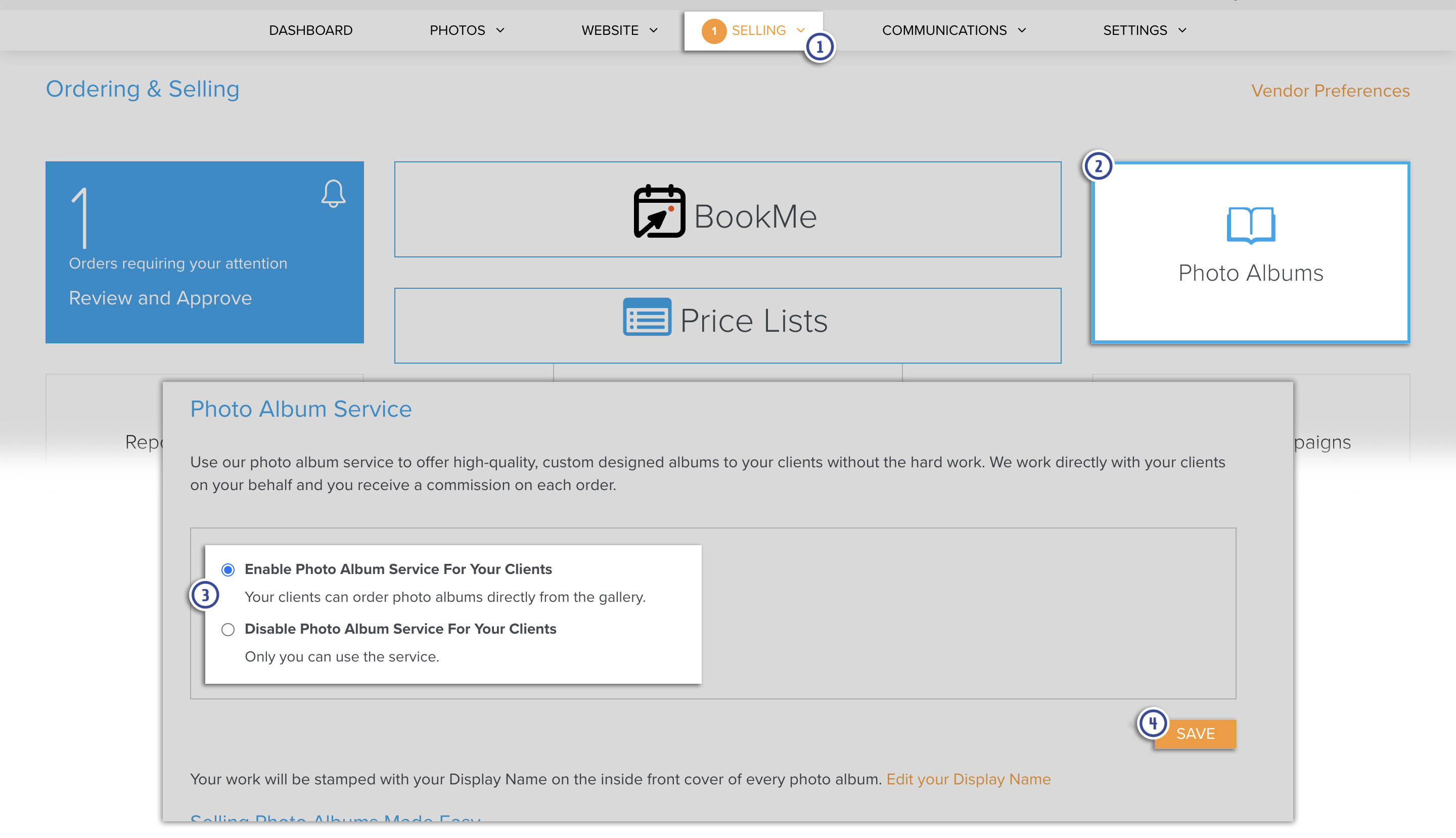
Here is how to set your preference site-wide.
- In the Dashboard, go to Selling.
- Go to Photo Albums. You can also click HERE to go directly to that page in your account.
- Choose to Disable Photo Album Service For Your Clients.
- Click Save to confirm your settings.