In efforts to support photographers and their clients globally, Zenfolio allows you to determine the language of the pages you will view in the your account of your account and the language that your visitors will see in your Website View.
Currently, Zenfolio supports the following languages for your account and your website:
English
Spanish
French
German
Setting the Language for your Account
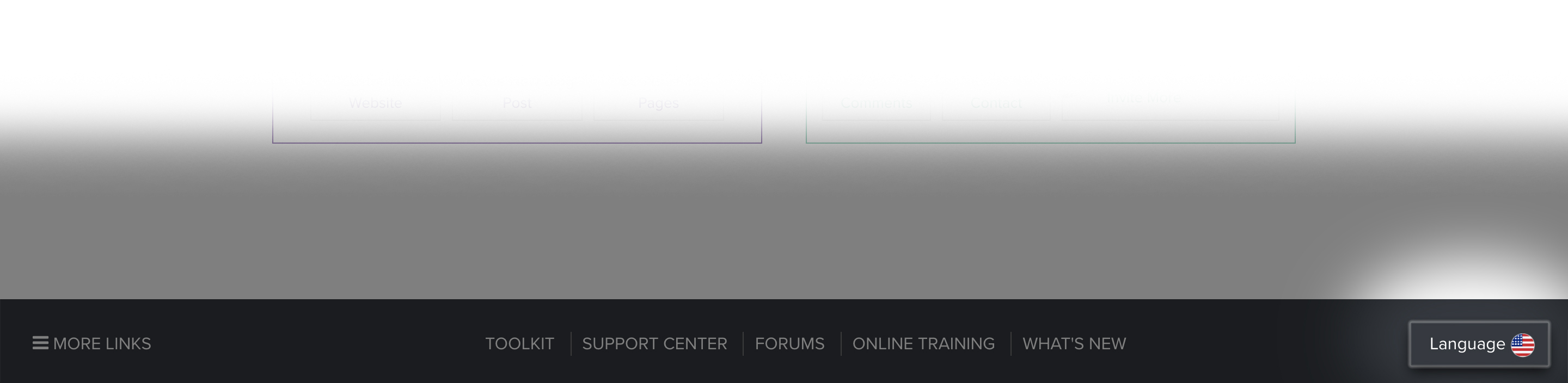
You can change the language you see in your account at any time by logging in, scrolling to the footer of any in your account, and clicking on Language. Here you will be able to change the Zenfolio provided text - but this will not impact the text that you provide, such as photo captions and custom page text.
Setting the Language for the Website View
You can set the language that your visitors will see on your entire website and in the Shopping Cart. This setting will be applied to all of your Zenfolio visitor pages, but it will not effect your Account language – and does not effect text that you provide (i.e. photo captions, About and Welcome messages, blog posts, or custom page text)
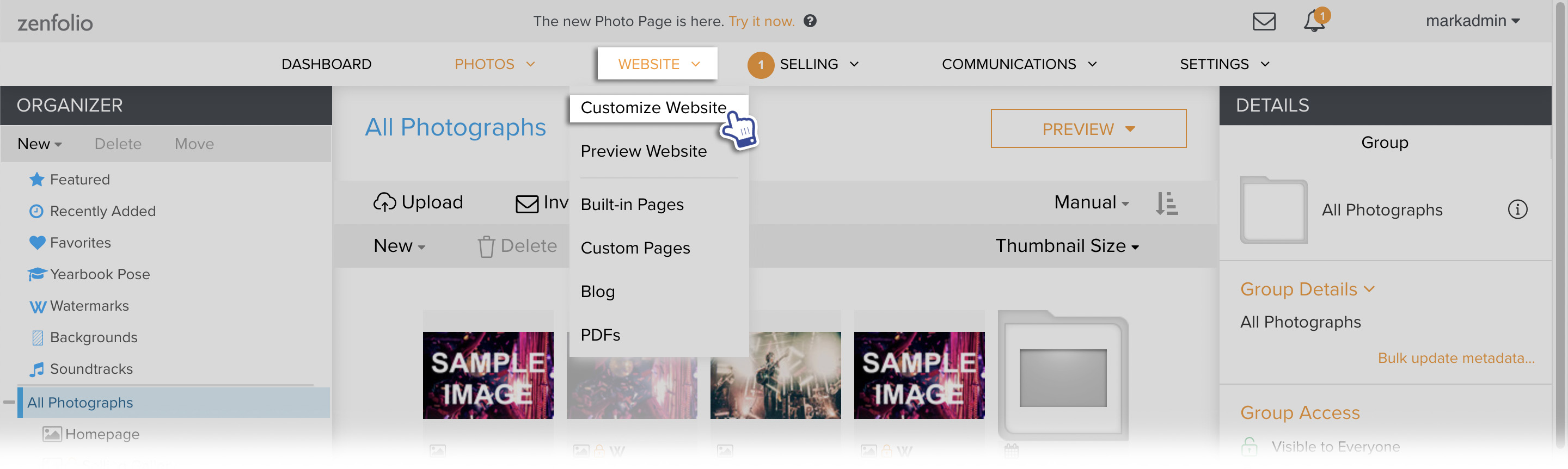
In your account, hover your mouse pointer over Website then click on Customize Website.
The page will refresh with a new customization menu at the top, confirming that you are in the Customize Website View.
From the Customize Website View page you can make changes to your Zenfolio pages that will affect the appearance of your site as your visitors will see them.
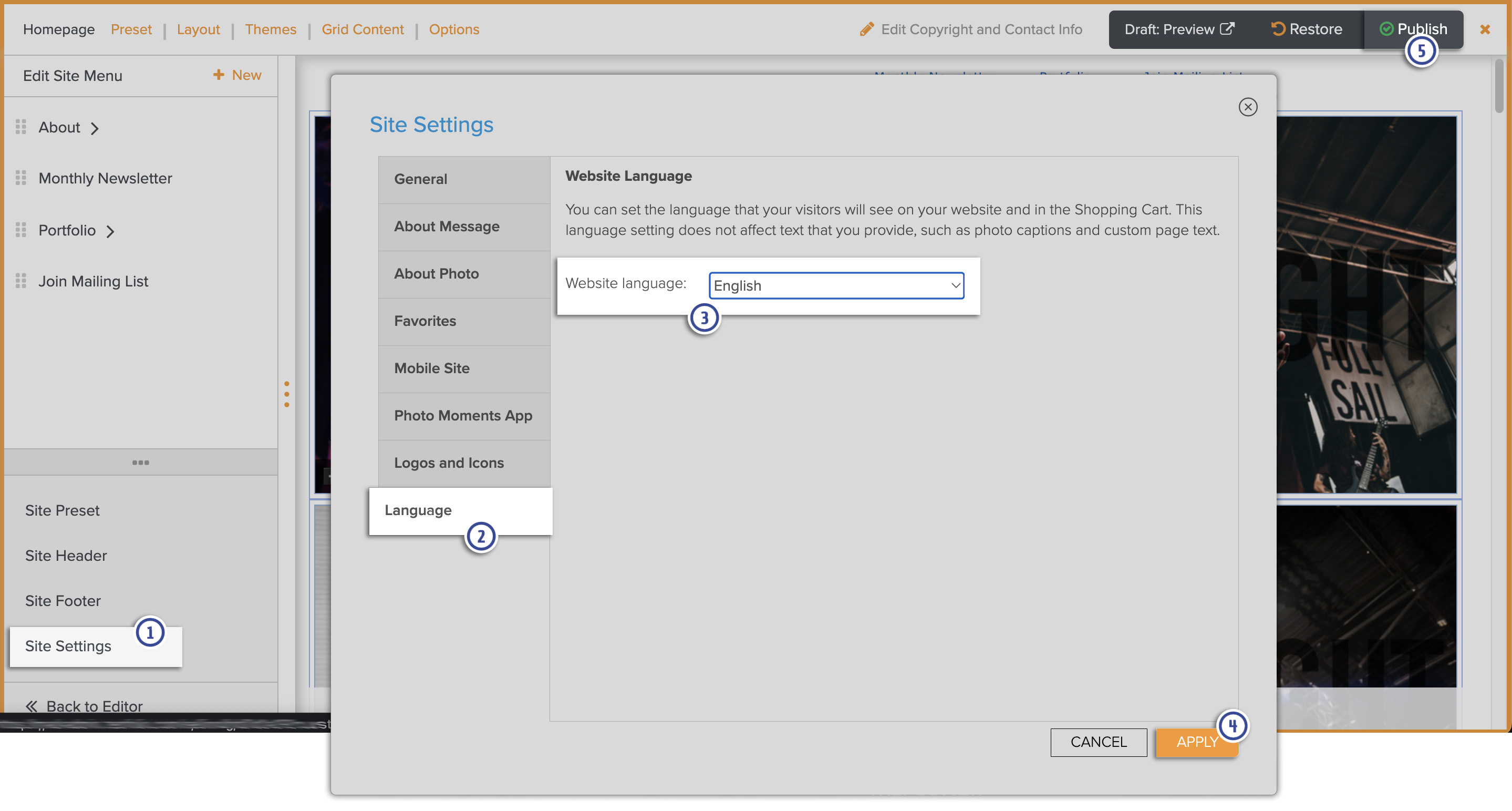
- Click on Site Settings. The Site Settings window will appear.
- Go to the Language tab.
- Select the desired Website Language using the drop down menu.
- Click Apply to close the Site Settings window.
- Click Publish before exiting Customize Website View to make those changes live on your site.