When photos are displayed in the site, there are two ways where image numbers can be displayed with the image.
Sequence Numbers
The first way is by displaying the images' sequence numbers.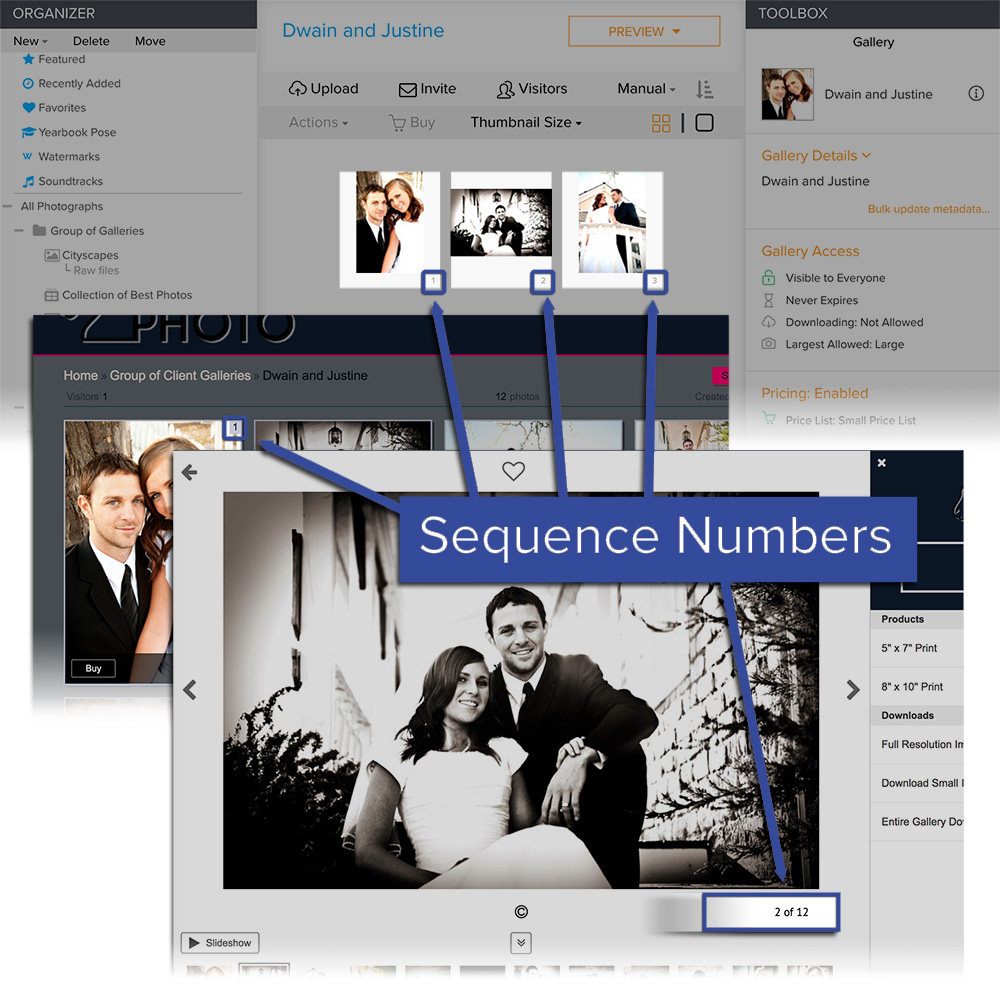
The sequence number is automatically generated based on the image's sorting order.
For example, the second image in the gallery would be given the sequence number of '2'. If the sorting is changed and that photo is now the 10th image in the gallery, then that image will now use '10' as its sequence number.
You can display the sequence numbers by setting them to Show in the Options panel of the gallery thumbnails page, photo page, and the Quick Shop page.
Numbers in Photo Titles
The second way is by displaying the numbers in the images' titles.
You can see examples of photo titles displayed in an overlay over the images below; e.g. 'Cute Couple', 'Black and White of Couple', 'Bride Walking up Stairs', 'DJ0011', '4'.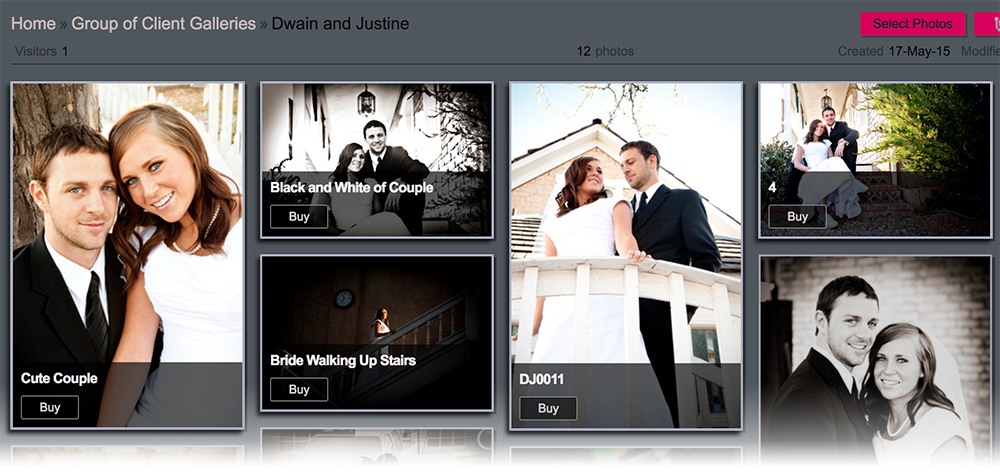
The titles are editable and you can use any number or text as the image's title. That means that you can edit each image's title and give them the title of '1', '2', '3', etc if you would like to number the images.
You can also use the image's filename as the image's title. You can also set the account to automatically apply the filenames as the titles of the images.
Once the image has been titled with its filename, the titles can be displayed in the gallery thumbnails page, in the gallery photos page, and in the Quick Shop page.