Breadcrumbs provide a way for visitors to go the group that contains the gallery that they are viewing. It can also provide a way for visitors to go to your top level group, the All Photographs Group.
This guide contains instructions for the following:
- Removing the Breadcrumbs from Galleries
- Hiding just the link to the All Photographs group in the Breadcrumbs
Removing the Breadcrumbs from Galleries
This change is made in the Customize Website View of the gallery.
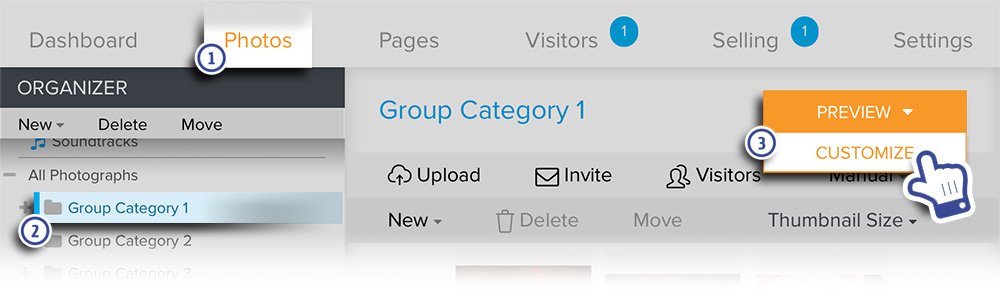
- In your account, go to Photos.
- Navigate to the desired Gallery under the Organizer.
- Hover the mouse pointer over Preview then click on Customize.
For Zenfolio users that signed up after May 10 2018, please see the updated instructions below
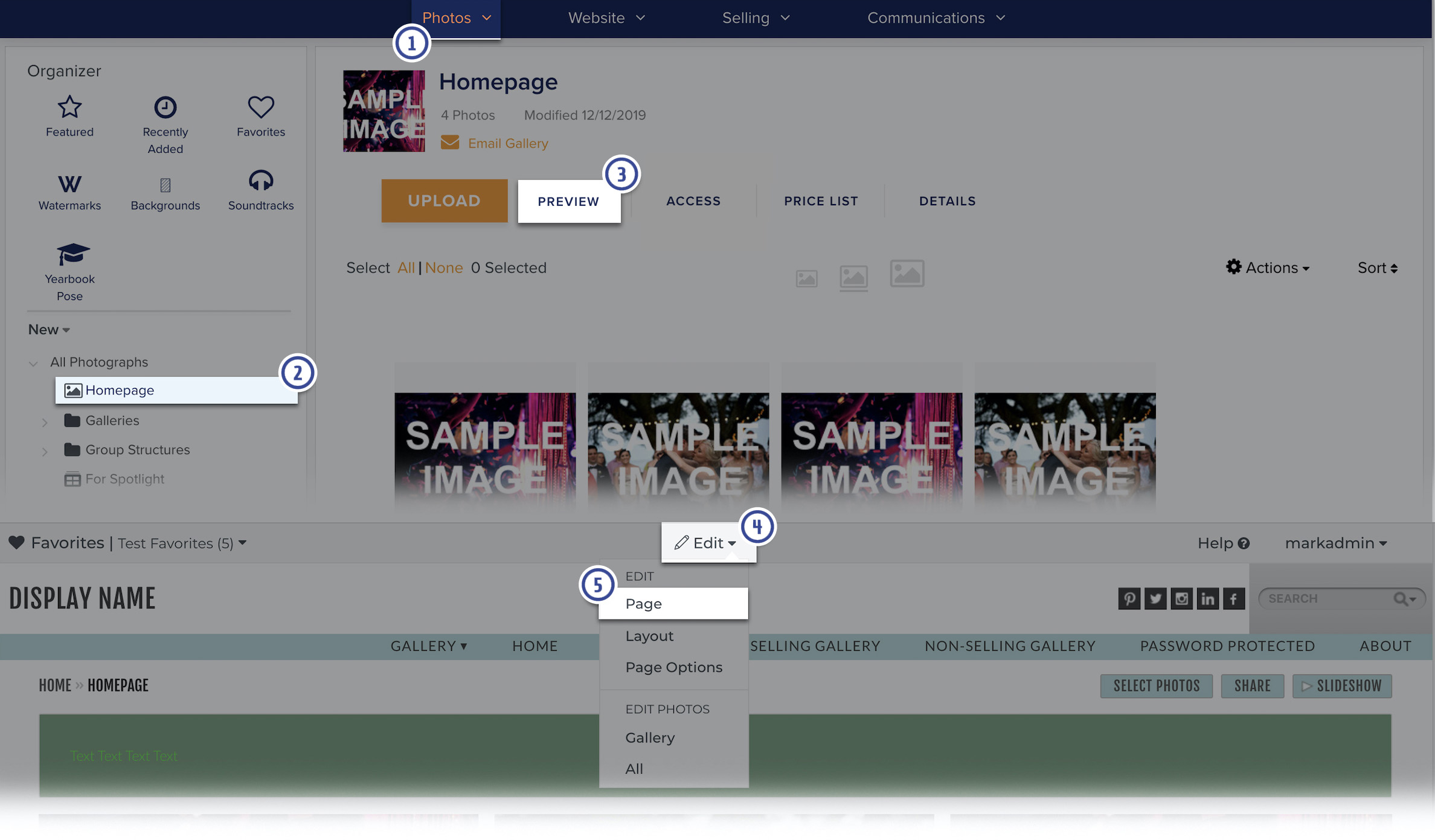
- In your account, go to Photos.
- Navigate to the desired Gallery under the Organizer.
- Click on Preview.
- In the Customize view, click on Edit
- Then choose Page from the dropdown menu that appears
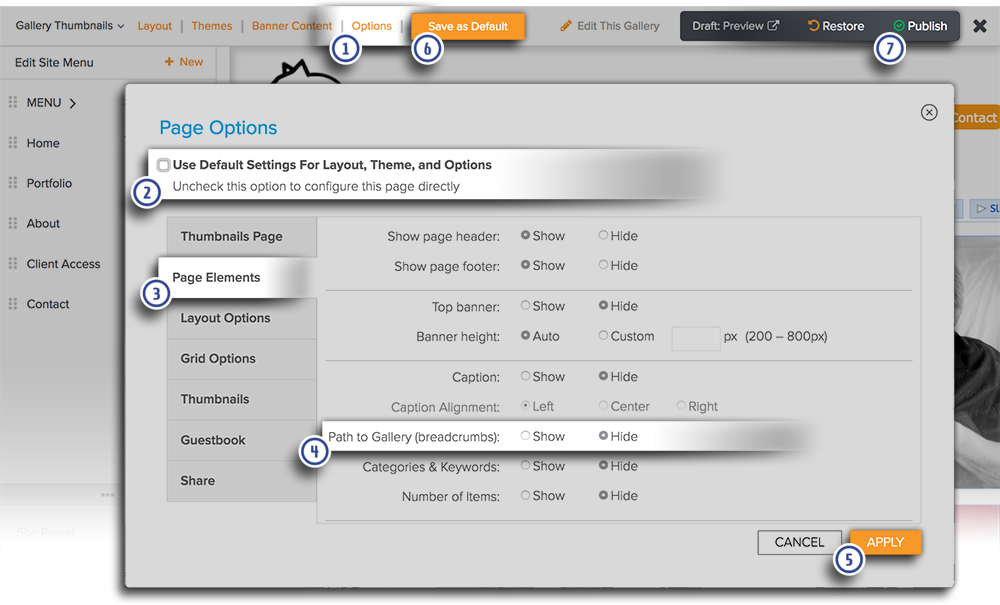
The page will refresh with customization tools displayed in a menu across the top of the page confirming that you are now in customization mode.
- Go to Options.
- Uncheck Use Default Settings for Layout, Theme, and Options if necessary.
- Go to the Page Elements tab.
- Set Path to Gallery (breadcrumbs) to Hide.
- Click Apply to close the Page Options panel.
- Click Save as Default to save the new settings as the default settings for all galleries.
- Publish your changes before exiting Customize Website View to make those changes live on your site.
Hiding just the link to the All Photographs group in the Breadcrumbs
This change is made in Customize Website View.
In your account, hover your mouse pointer over Website then click on Customize Website.
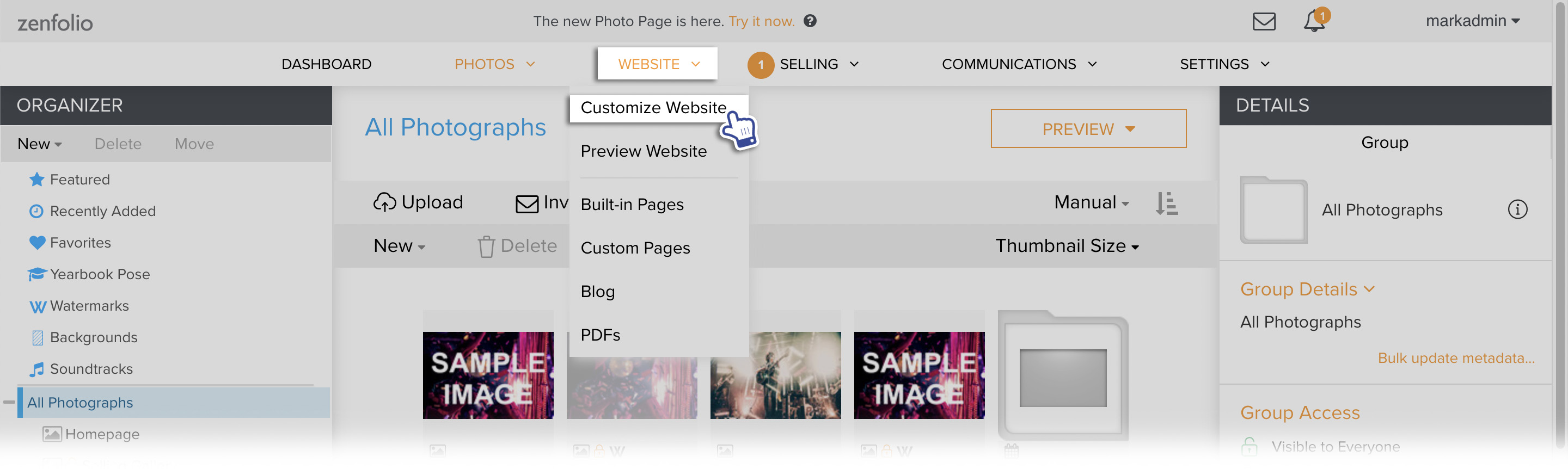
The page will refresh with a new customization menu at the top, confirming that you are in the Customize Website View.
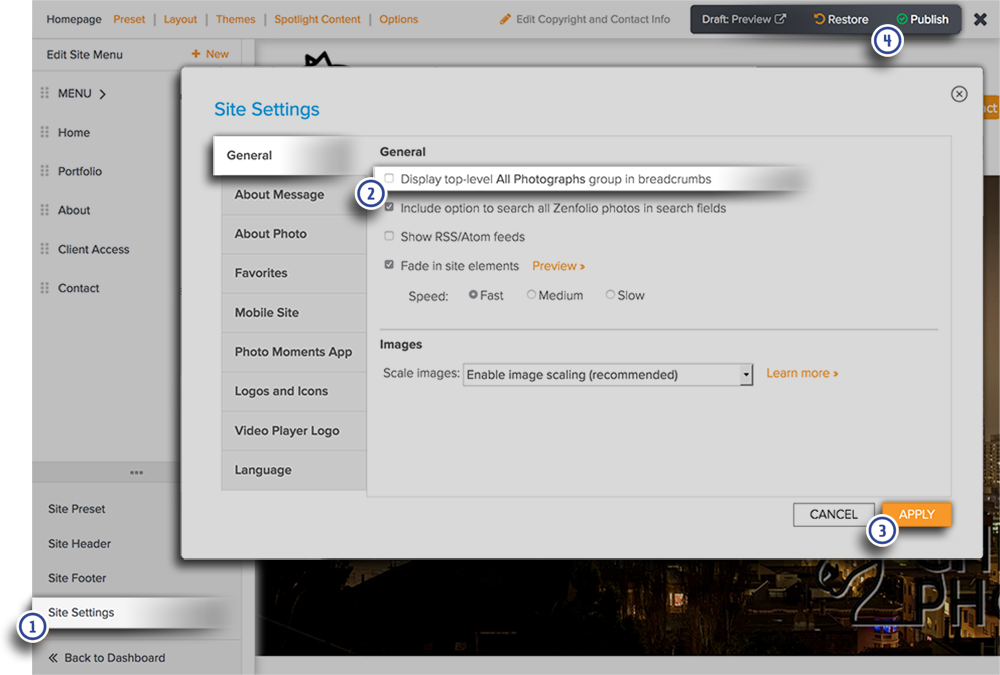
- Go to Site Settings.
- In the General tab, uncheck the box for Display top-level All Photographs group in breadcrumbs.
- Click Apply to close the Site Settings panel.
- Publish your changes before exiting Customize Website View to make those changes live on your site.