To give you greater insights into how many times your photos are being downloaded, Zenfolio allows you to see basic download activity for any of your photos.
- Please note: This feature only shows the number of times an individual Original photo has been downloaded - and does not show tracking information on your Digital Orders, .zip file downloads of multiple photos, or the saving of display sized images. Free downloads of videos are not tracked as well.
In an effort to provide security of your photos, the ability for visitors to download your original photos is turned off by default. For more information on allowing or not allowing your original photos to be downloaded please click here.
What does your Account look like?
Original Photos Page: Tracking Downloads of Original Photos
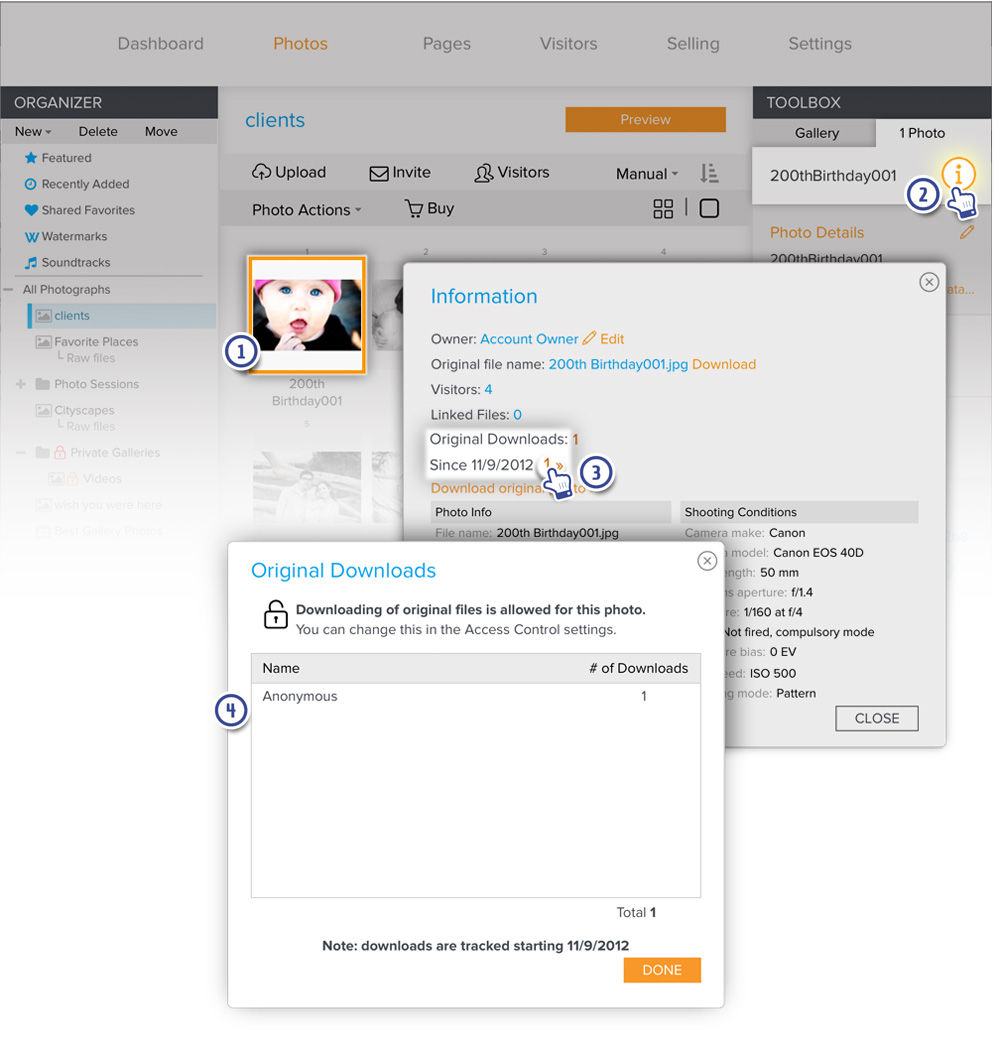
To see the number of times that a single original photo has been downloaded, go to a gallery from your Dashboard and:
- In the Dashboard, select a photo
- Under your Toolbox you will be able to click the Information iconⓘ - there will be a pop-up window with information about the photo.
- Click on the number next to Original Downloads
- Another pop-up window will show you who has downloaded the photos and how many time they have downloaded the photo.
All downloads will appear as "Anonymous", it will not be possible to see exactly who downloaded the photo
- To make sure that visitor information is captured when someone visits a Gallery to download, you may want to consider enabling Visitor Sign-in to collect visitor information that will allow you to at least see who has visited the Gallery.
New Photos Page: Tracking Downloads of Original Photos
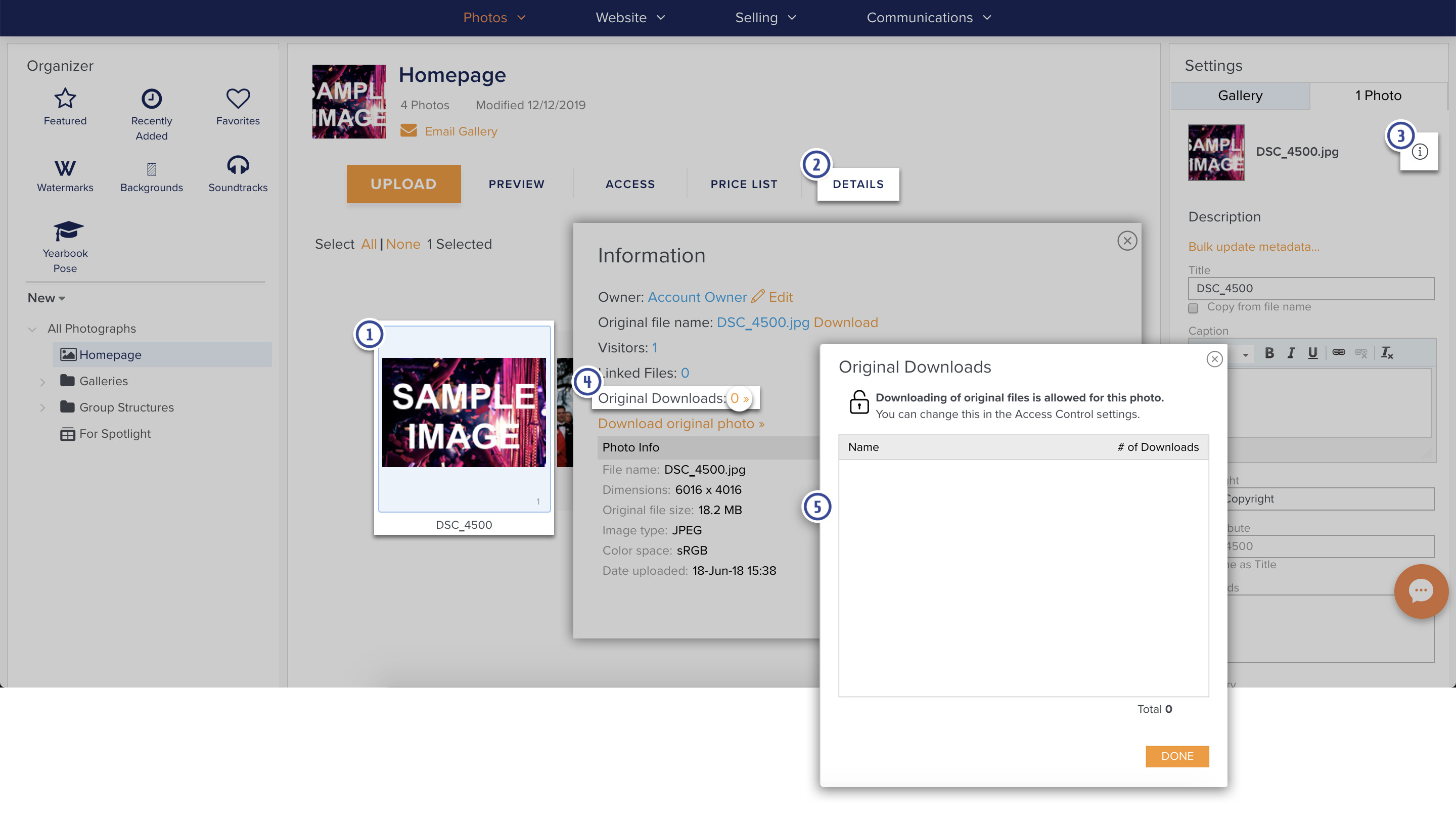
To see the number of times that an original photo has been downloaded, go to a gallery in the Photos section of your account and:
- In the Gallery, select a photo
- Click on Details. A column will appear on the right side
- In the Details column you will be able to click the Information icon ⓘ - there will be a pop-up window with information about the photo.
- Click on the number next to Original Downloads
- Another pop-up window will show you who has downloaded the photos and how many time they have downloaded the photo.
All downloads will appear as "Anonymous", it will not be possible to see exactly who downloaded the photo
- To make sure that visitor information is captured when someone visits a Gallery to download, you may want to consider enabling Visitor Sign-in to collect visitor information that will allow you to at least see who has visited the Gallery.