Exclusive to Pro and Advanced plan subscribers.
Through Zenfolio, you can bundle different products together to sell as a package. To then sell those packages, you'll need to add the packages to your price lists.
If you have not already created the packages, please click HERE to learn how to create a package.
Once you have created your Packages, you will still need to add them to the price list(s) that you have assigned to your galleries/photos This done using the same steps as adding any individual products to the price list.
To get started, open the Price list for editing.
- In your account, go to Selling.
- Click Price Lists.
- Click the name of the price list you would like to edit.
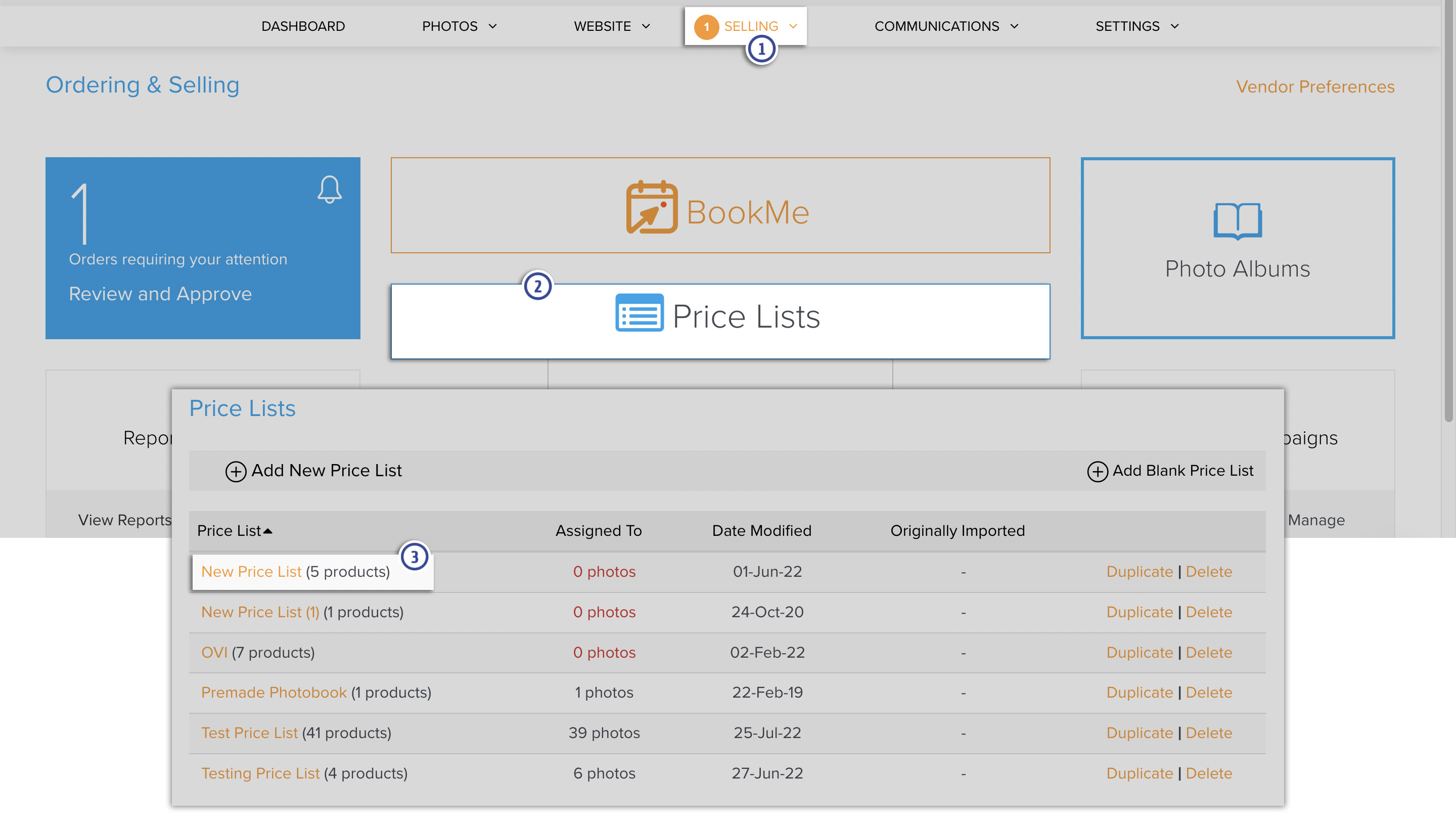
Once the price list has been opened for editing, continue with the steps below.
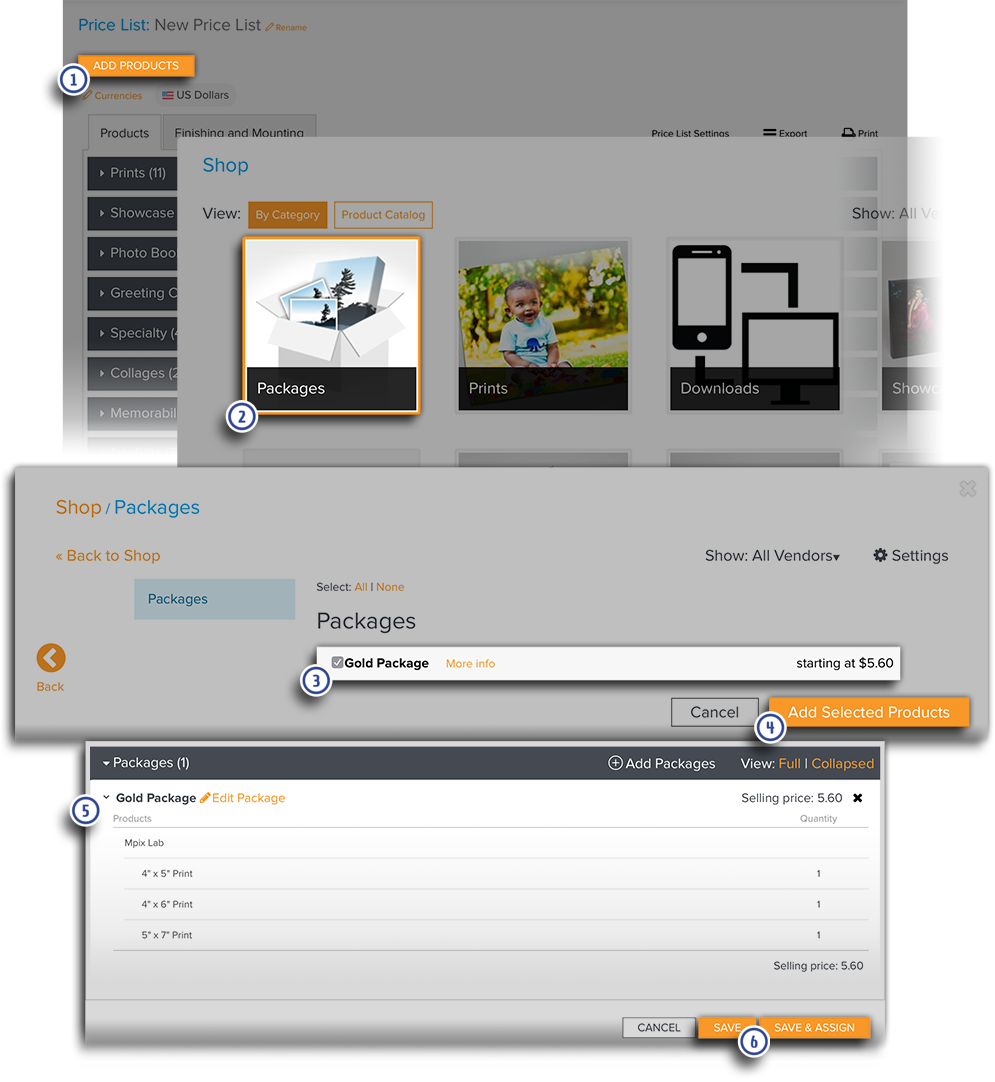
- Click on Add Products.
- Click on the Category into which you've placed the Package (the default is the Packages category).
- Check the boxes next to the desired Packages (or click Select: All to choose all of them).
- After marking all of the desired Packages, click the Add Selected Products button.
- The selected Packages will be displayed in the Price List.
- Click Save to save the changes to your Price List or click Save & Assign to also assign the price list to galleries.