While in your account, you can preview how your Zenfolio pages will appear to your visitors at any time by going to Website View.
In your account, hover your mouse pointer over Website then click on Preview Website. Your homepage will load in the Website View.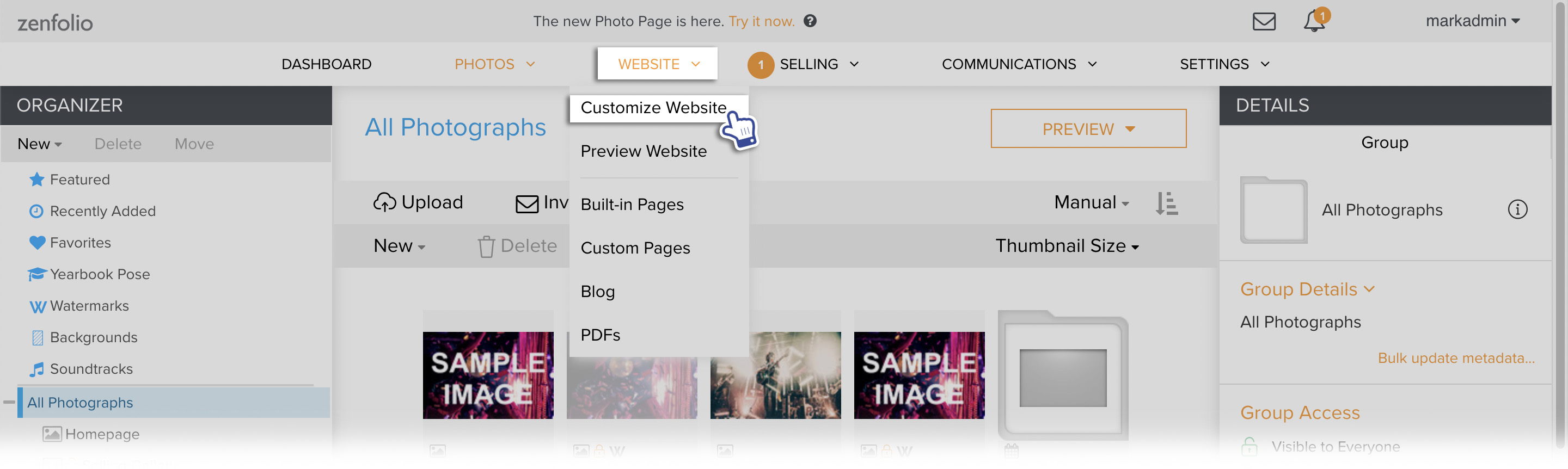
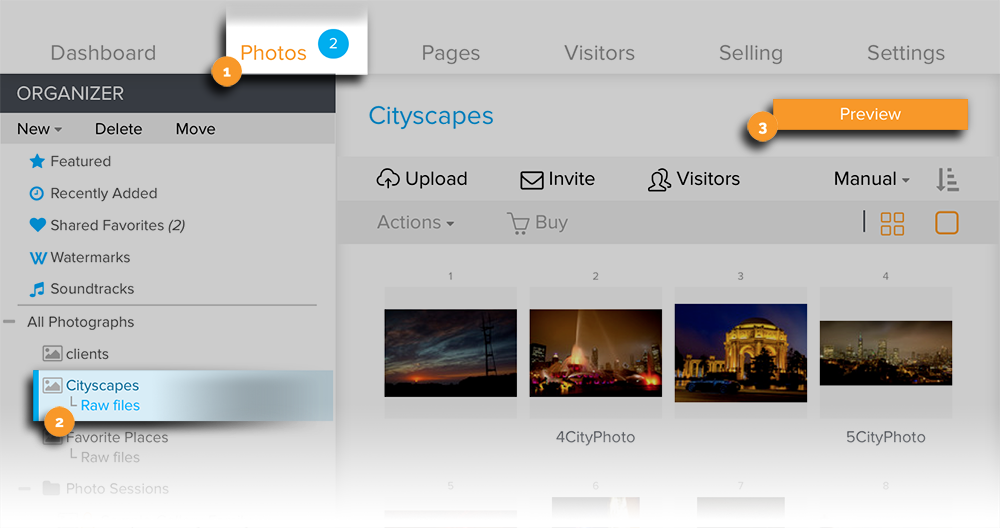
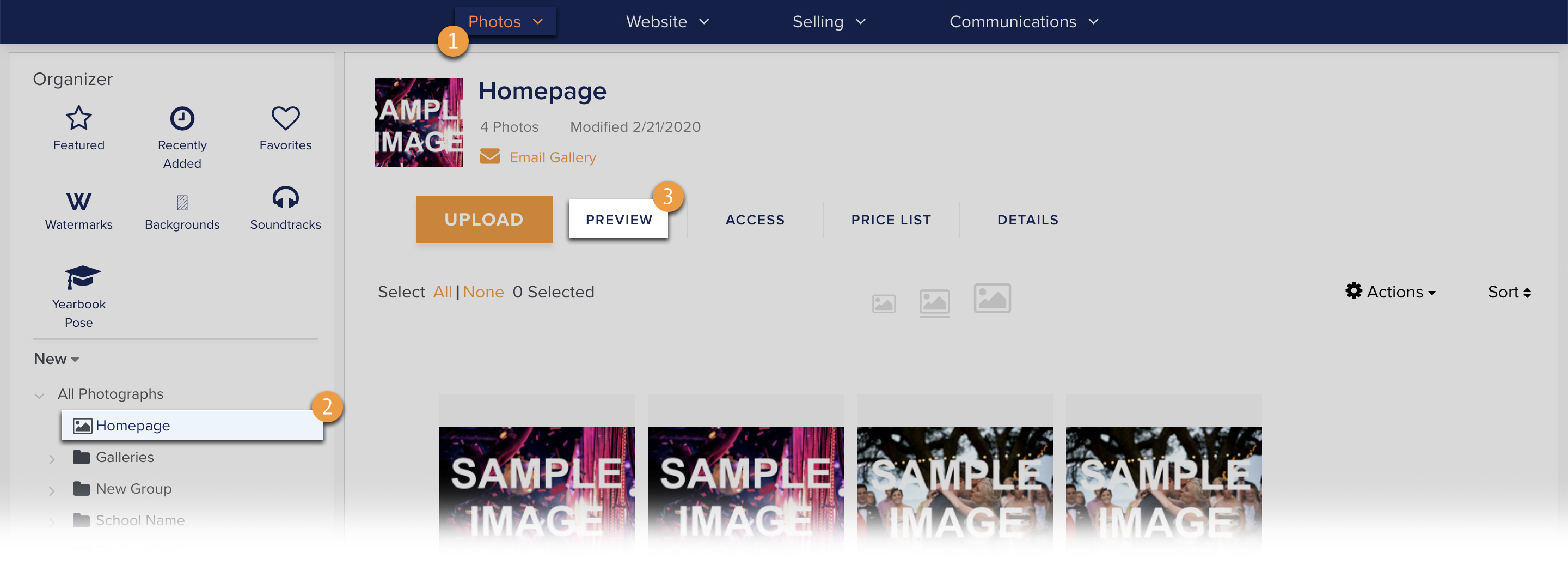
To access Website View for a specific gallery, group or collection
- In your account, go to Photos.
- Select the gallery, group or collection you would like to preview in the Organizer or in the Main Area.
- Click Preview.
For Zenfolio users that signed up after May 10 2018, please see the updated instructions below
You can also place orders for products through your site's website view using either the prices you've set in your Price Lists (Pro and Advanced users only) or the base lab prices offered by our partner labs.
See this guide for more details on ordering though your site's Website View.
When visitors navigate your Zenfolio pages, they will see the Website View of your site.
Website View provides many different functions that is used for the viewing and ordering of photos from your site.
Here are examples of Website View functions. Please click on the links for more details about the function.
- Slideshow
- Share
- Dim the Lights
- Buy
- Search
- Guestbook and Comments
- Keyboard Shortcuts
- Adding to Collection from Website View
- Maximizing the size of displayed images