The Single File Uploader is designed for selecting a single file at a time for uploading.
It is recommended for uploading large videos and files.
If large video uploads keep getting interrupted during upload and failing or displaying upload errors, using this uploader may allow you to complete the video upload.
To begin uploading using the Single File Uploader and follow the steps.
- In your account, go to Photos.
- Select the gallery to which you would like to upload.
- Click Upload.
- The Batch Uploader will be displayed. Click use this uploader.
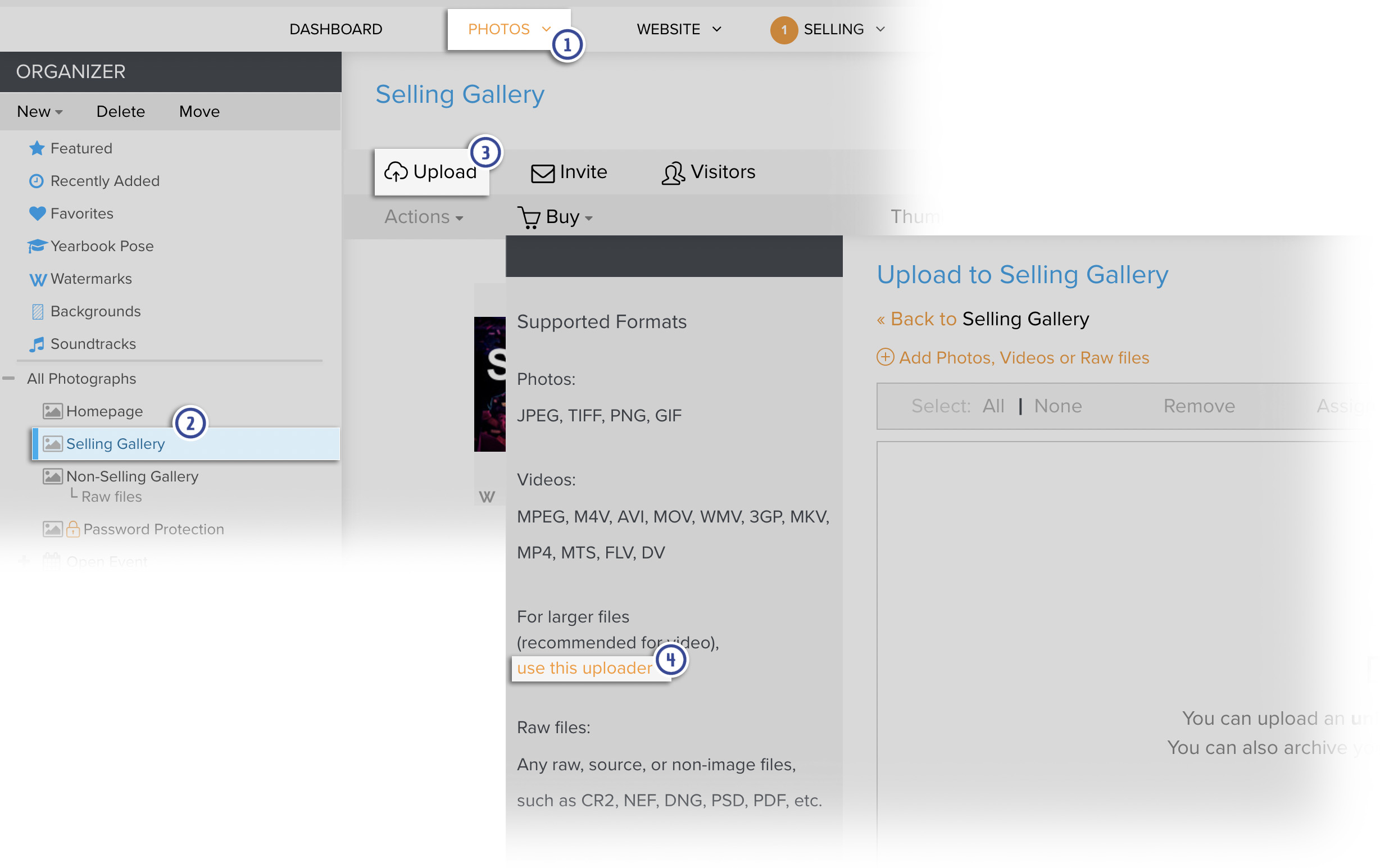
Upload using the Single File Uploader
- Click Browse next to the File field.
- In the pop-up window locate and select the file to upload
- Click Open. To add more photos or video, repeat steps 1 to 3 for each additional file you wish to upload in the new file box that appears.
- When you are finished selecting files, click Start Upload to begin uploading.
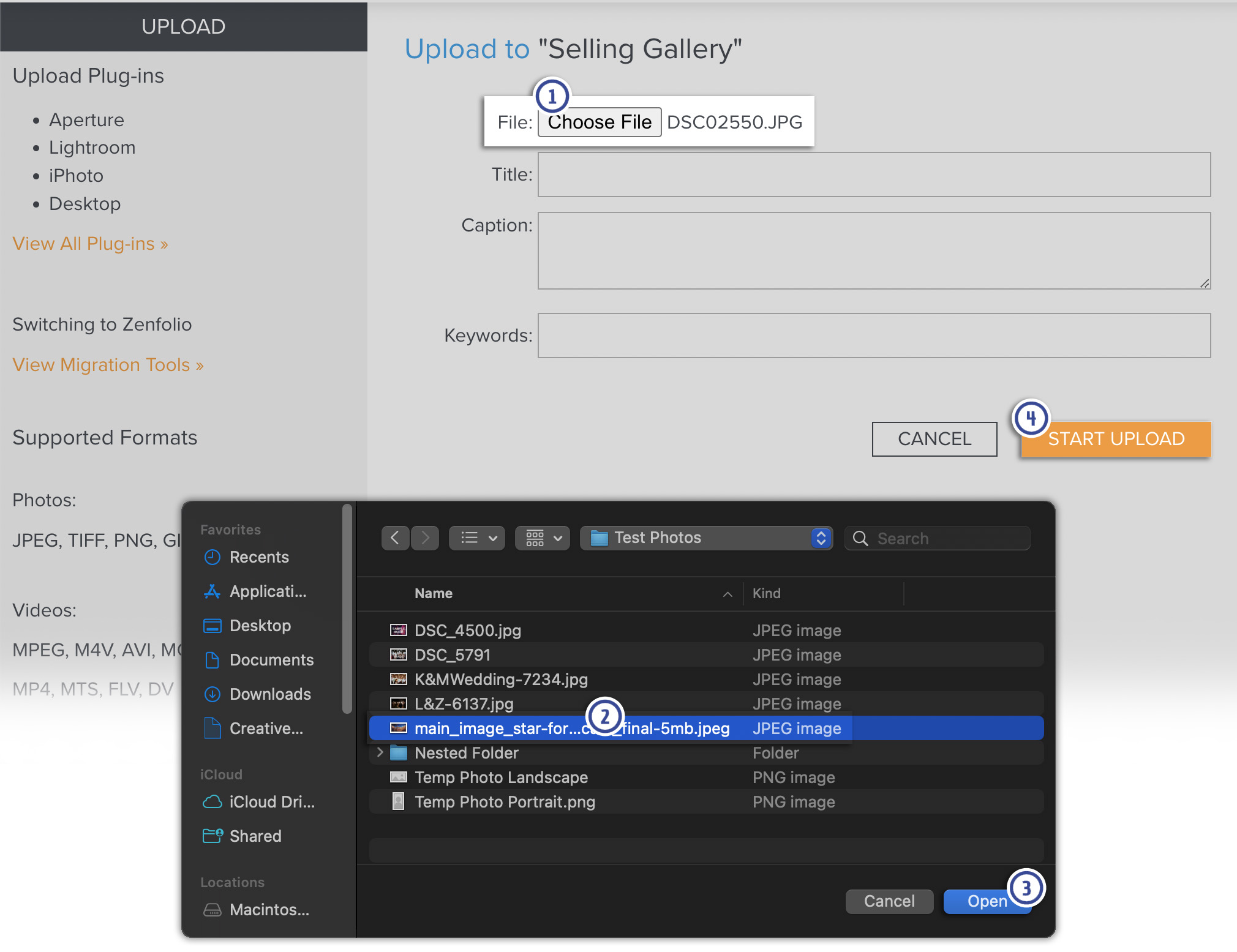
If you wish to remove a photo or video for uploading, click Remove in the top-right File box of that selected file.
EXIF and IPTC information is transferred along with the photos during the upload.
Videos will still need to process before it can be viewed.